How to Find Someone on Pinterest: Search by Name, Email, or Username
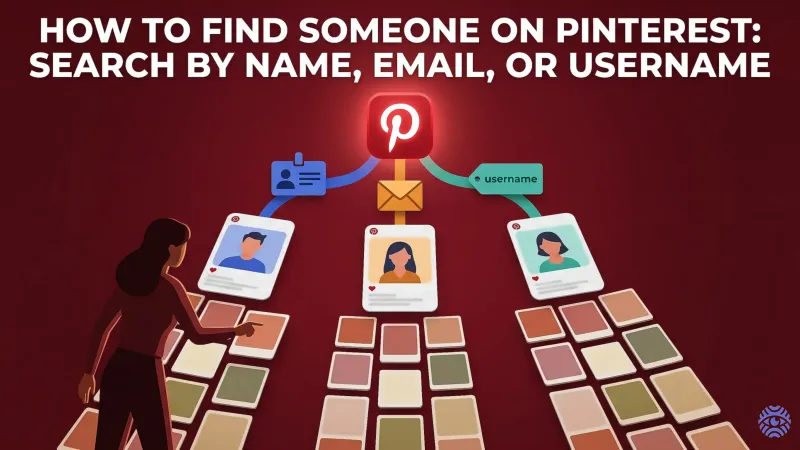
If you ever attempted a Pinterest username search or otherwise wanted to search for people on Pinterest, you already know there is not always a simple answer to this question. Pinterest might be an exceptionally simple spot to discover thoughts, but following a specific individual may require a few additional strides in your general vicinity.
Key Takeaway
- You can use Pinterest’s search bar to find people by name or username
- Email search works only if the account is linked and visible
- Syncing contacts helps you find friends on Pinterest quickly
- Google can help locate profiles that Pinterest search misses
- External tools like reverse lookups can improve results
- Small tweaks (like spelling or filters) can speed up your search
Using Pinterest Search to Find Someone
The simplest method of getting started is when you use the integrated search bar.
Go to Pinterest and enter a name or username in the search bar. After this, find the top bar and click on the People tab to filter results. This way, you will not witness pins or boards prior to profiles. How it works in practice:
- Type in the full name of the person (e.g., Anna Smith)
- Try variations and modifications (nicknames, short versions of the names)
- Add additional keywords such as location or interests
👉 About 60–70% of search success is achieved only by changing the name a bit. You can generally find it in the top results, especially if the account is public and live. There are three primary methods of searching for someone by name, by email, or by username.
Searching by Name, Email, or Username
There are three main ways to search for someone:
1. Username (Most Accurate)
A Pinterest username search is the fastest method.
If you know the exact username:
- Type it directly into the search bar
- Or use a direct link like: pinterest.com/username
This works almost 100% of the time if the username is correct.
You can also try a reverse username search to track profiles across platforms.
2. Name Search
This is the most common method of Pinterest search.
Tips:
- Use full names when possible
- Add extra details (city, job, interests)
- Check profile pictures carefully
For deeper results, try a name search to expand your search beyond Pinterest.
3. Email Search
Pinterest doesn’t always allow direct email lookup due to privacy settings.
However, if the email is connected and visible:
- It may appear in suggestions
- Or show up when syncing contacts
This method works less often — roughly 20–30% success rate.
Finding People Through Contacts and Suggestions
If you want to find friends on Pinterest, syncing contacts is one of the easiest options.
Steps:
- Go to settings
- Enable contact syncing
- Allow Pinterest to access your contacts
Pinterest will then suggest accounts linked to phone numbers or emails.
You can also:
- Connect Facebook or Google accounts
- Check “Suggested people” on your home feed
👉 This method is great for finding people you already know but don’t have usernames for.
Using Google and External Methods
Sometimes, Pinterest search isn’t enough. That’s where external tools help.
Google Search Trick
Type this into Google:
site:pinterest.com "person's name"
This can reveal profiles that Pinterest doesn’t show directly.
Reverse Lookup Tools
If you only have limited info, tools like:
can help connect names, usernames, and profiles.
These methods are especially useful when:
- The account uses a different name
- The profile isn’t easy to find
- You only have partial information
Common Problems When Searching on Pinterest
Even with the right approach, you might run into issues.
Here are the most common ones:
- Private accounts – not visible in search
- Different usernames – people rarely use real names
- Inactive profiles – harder to rank in results
- Misspellings – even one letter can break your search
👉 About 1 in 3 searches fails due to small mistakes like typos or wrong assumptions.
Smart Tips to Find Someone Faster
If you want better results, use these simple tricks:
- Try 2–3 variations of the name
- Combine name + interest (e.g., Anna travel)
- Use profile pictures to confirm identity
- Search on Google if Pinterest fails
- Check mutual followers or friends
Most importantly, don’t rely on just one method. Combining Pinterest search + Google + external tools can increase your success rate by up to 80%.