How to Find Someone on WhatsApp: 3 Easy Methods
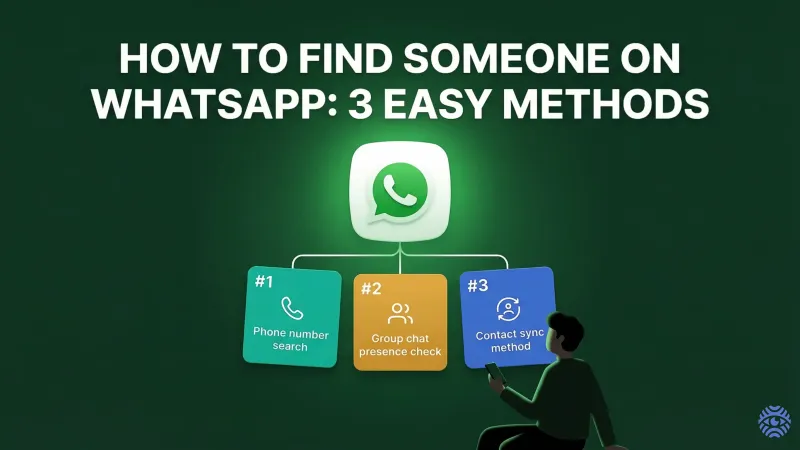
Finding a person on WhatsApp is usually quick. But sometimes it feels confusing, especially if you do not see the contact right away. This guide explains how to find someone on WhatsApp step by step. The methods work on both Android and iPhone and use simple tools already inside the app.
Key Takeaway
- You can find someone on WhatsApp by saving their phone number in your contacts.
- Use the built-in search bar to perform a WhatsApp phone number search.
- Check shared group chats to locate a contact.
- Use the "Invite to WhatsApp" feature if the person is not yet using WhatsApp.
- Privacy settings may hide a contact even if they use WhatsApp.
Things You Should Know Before Searching
Before you try to find a contact in WhatsApp, there are a few important things to understand.
First, WhatsApp works with phone numbers. You cannot search by username like in other social media apps. If you want to search for a WhatsApp number, you usually need the correct phone number saved on your phone.
Second, the number must include the country code. For example, +1 for the US or +44 for the UK. Without the correct format, WhatsApp may not recognize the contact.
Third, make sure your app is up to date. Old versions of WhatsApp sometimes do not refresh contact lists correctly.
If you only have limited details about a person, you can use a people search engine like X-Ray.Contact to gather basic public information before saving the number. This can help confirm that you are adding the right contact.
Method 1 — Search for a Contact in WhatsApp
This is the most common way to find someone on WhatsApp.
Step 1: Save the Phone Number
- Open your phone's Contacts app.
- Add a new contact.
- Enter the full phone number with country code.
- Save the contact.
Step 2: Refresh WhatsApp
On Android:
- Open WhatsApp.
- Tap the chat icon.
- Tap the three dots.
- Select "Refresh."
On iPhone:
- Open WhatsApp.
- Tap the new chat icon.
- Pull down the contact list to refresh.
Step 3: Use the Search Bar
Now use the search bar at the top of WhatsApp:
- Type the name you saved.
- If the person uses WhatsApp, their contact will appear.
This is the easiest way to perform a WhatsApp phone number search inside the app.
If you want to check whether a number is active before saving it, you can read this detailed guide on X-Ray.Contact blog about WhatsApp number lookup.
It explains how number lookup tools work and what information may be available.
Method 2 — Check WhatsApp Group Chats
Sometimes you do not need a number at all. If you share a group, you can find a contact there.
How to do it:
- Open WhatsApp.
- Go to a group chat you both belong to.
- Tap the group name at the top.
- Scroll through the list of participants.
If you see the person's name, tap it. You can then:
- View their profile.
- Start a private chat.
- Save their number if needed.
This method is helpful when:
- You forgot to save the number.
- You only know the person from a group.
- You are using WhatsApp on Android or iPhone and want a quick way to find someone.
It is simple and does not require a separate WhatsApp number search.
Method 3 — Use the "Invite to WhatsApp" Feature
If you saved a number but cannot find the contact in WhatsApp, the person may not be using the app.
To check:
- Open WhatsApp.
- Tap the new chat icon.
- Scroll down.
- Look for "Invite to WhatsApp."
If the number appears under this section, it means:
- The phone number exists.
- The person is not currently using WhatsApp.
You can send them an invitation link.
If you are unsure whether a number is valid at all, a reverse search tool such as X-Ray.Contact may help confirm if the phone number lookup shows active records.
Why You Can't Find a Contact
There are several reasons why you cannot find someone on WhatsApp:
- The phone number is incorrect.
- The country code is missing.
- The contact is not saved.
- The person does not use WhatsApp.
- The person blocked you.
- Privacy settings hide their profile.
Always double-check the number format. Even a single incorrect digit will prevent WhatsApp from displaying the contact.
Can You Find Someone on WhatsApp Without a Phone Number?
Short answer: No.
WhatsApp does not allow username search. You must have a phone number to find someone.
There is no official way to:
- Search by name only.
- Search by email.
- Search by location.
Some websites claim they can help you find someone on WhatsApp without a number, but most of them are not reliable.
The safest method is:
- Get the phone number directly from the person.
- Save it properly.
- Refresh your contact list.
If you only know the person's name, you may try a people search engine to find publicly listed phone numbers, but results depend on available public data.
Privacy Settings That May Hide Someone on WhatsApp
Even if a person uses WhatsApp, you might not see full details.
Privacy settings can hide:
- Profile photo
- Last seen
- About information
- Status updates
If you can see the contact but not their details, they may have set privacy to:
- "My Contacts"
- "Nobody"
Also, if someone blocked you, you will not see:
- Profile updates
- Status changes
- Last seen